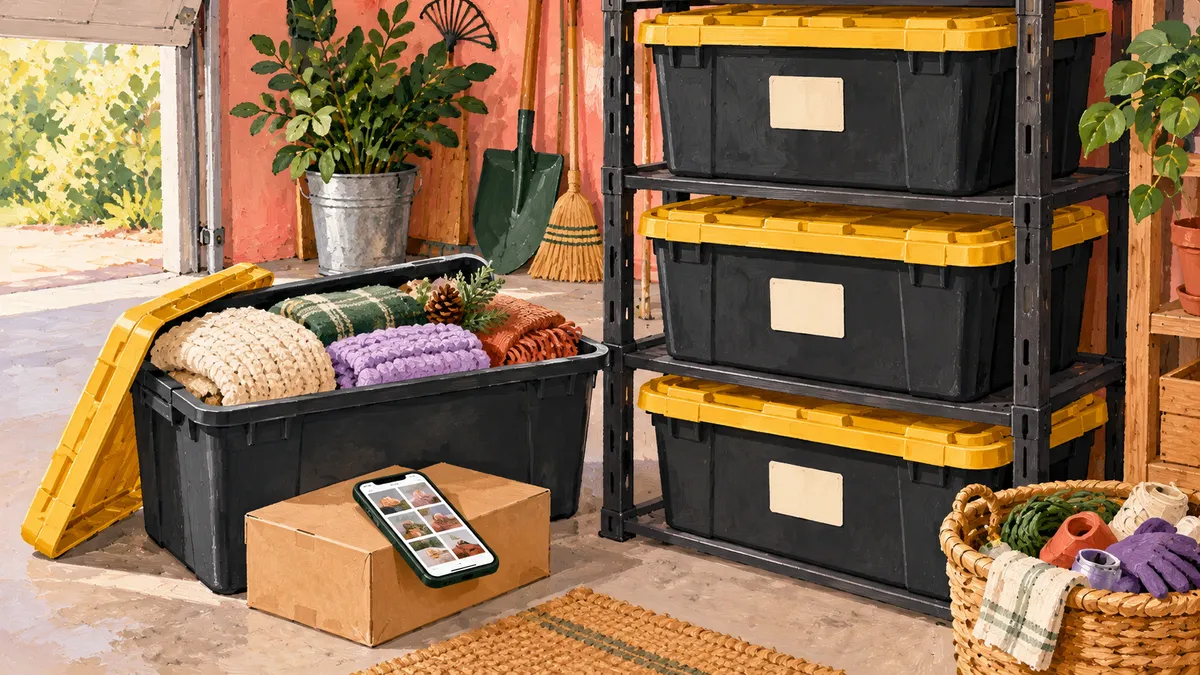
Garage Organization in Progress: 27-Gallon Bins & SnapFind app
In this post
This post contains Amazon affiliate links. If you buy through them, I may earn a commission at no additional cost to you. As an Amazon Associate I earn from qualifying purchases.
I’m organizing my garage, but I’m not waiting for it to look perfect before I share what is helping.
The quick answer: organize garage overflow one bin at a time
My setup has three parts: 27-gallon totes to hold the overflow, hard-plastic Walmart racks to give each tote its own level, and the SnapFind app with QR labels to help me check what is inside. I bought multiple racks, put them together without tools, and have easily used different brands of 27-gallon totes in them.
To try the same approach, choose one spot, assemble one rack, and record one bin before expanding. The goal is a place you can find things again while the rest of the garage is still in progress.
For me, this has been about clutter, overflow, and giving the things we’re keeping a place I can actually find again. A row of closed bins can look organized from the outside. The useful part is knowing what is inside when you need something.
My setup uses 27-gallon storage bins, multiple hard-plastic tote racks I found at Walmart, and purchased SnapFind QR labels. It is still a work in progress. But being able to document a bin before every item is perfectly sorted has made starting feel more doable.
I needed a starting point for the overflow
In a small family home, the things that don’t fit comfortably inside still need somewhere to go. My garage storage includes large bins alongside a deep freezer, so the goal is to make that space useful for everyday life.
I’m working toward a system where a closed lid doesn’t mean I have to rely on my memory. That matters more to me than having every container match or finishing the whole garage in one weekend.
If you’re standing in front of your own overflow wondering where to begin, start with one bin. You can record what is in it now and improve the sorting later.
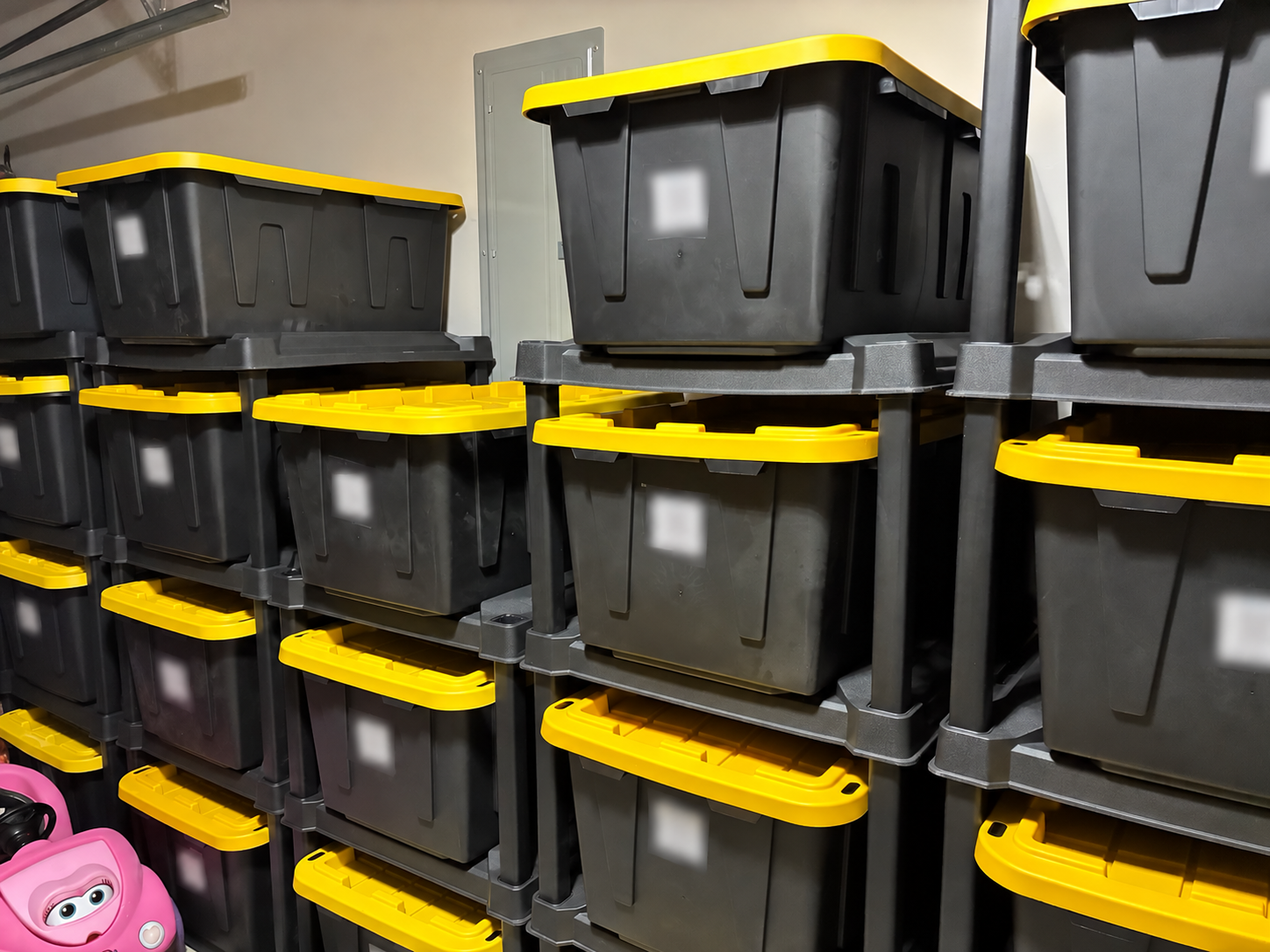
A real view of my garage setup as I work on it. I have heavily blurred the QR codes and identifying label details for privacy.
What I bought—and how you can start the same way
Here is the simple version of my setup in one place. Start with the totes you already own, then add what would make them easier to store and find. Amazon links are affiliate links; Walmart and Sam’s Club links are ordinary shopping links.
Multiple hard-plastic tote racks from Walmart. I chose the Sterilite four-tier tote racks for the price and easy, no-tools rack assembly. Each tote has its own level, which makes access easier than taking apart a stack.
27-gallon storage totes. Mine include different brands from Sam’s Club and Walmart, including red-lid bins. Compare Member’s Mark totes at Sam’s Club, storage-bin options at Walmart, or 27-gallon totes on Amazon (affiliate link). The Walmart page includes other sizes, so check the selected option. The Amazon link opens comparison results, not one exact tote I purchased.
Purchased SnapFind QR labels. These connect each physical bin with its contents record. Find SnapFind storage labels on Amazon (affiliate link). A phone with the SnapFind app is the other part of this step.
Put your first section together
Choose a spot and one rack to begin. Measure the space and leave room to pull totes out. Assemble your rack using its instructions and complete the recommended anchoring before loading it.
Try the bins you have. Check their fit, keep the load manageable, and group one small area of overflow. You can add more racks as the system grows.
Label and record one bin. Use the SnapFind steps later in this post, save a contents photo and location, and test the scan. You can improve the sorting as you go.
If you want to compare other rack styles, browse tote racks on Amazon (affiliate link) or the five-tier rack at Sam’s Club. Those are alternatives to compare, rather than the racks I bought.
Divide multipack prices by the number of bins or racks, include delivery or pickup costs, and compare the same capacity and features. I shop sales rather than assuming one store will always be the least expensive.
Why I’m using 27-gallon storage bins
All of my large storage totes are 27 gallons. I have bought bins at Sam’s Club and Walmart, including red-lid versions. I shop around and pay attention to sales, especially around the holidays, rather than sticking with one brand just to make everything look identical.
The size gives me a consistent starting point for the larger things I’m storing. It doesn’t mean I need to fill every bin to the top. If something becomes too heavy to move comfortably, dividing it into smaller containers is more useful than making the most of every inch.
Different tote brands have worked easily in my racks
I bought multiple racks, and the different brands of 27-gallon totes I use have fit easily in them. I haven’t needed to replace all my bins with one matching brand to make this setup work.
If you already own 27-gallon totes, start by checking those. My experience has been flexible across brands, though exact dimensions and lid shapes can still vary. Try one of your bins in the rack and check the maker’s guidance before buying a whole new set.
The tote organizer I found at Walmart
I chose the hard-plastic tote racks from Walmart because they were the cheapest option I found when I was shopping—and they were super easy to put together. I bought multiple racks, and assembling the racks themselves required no tools. That made this feel like a project I could actually get started on.
The Sterilite four-tier tote rack I chose at Walmart gives individual totes their own level, so accessing one doesn’t require taking down a whole stack first. The listing describes a four-tote rack and a recommended 50-pound limit per shelf. In my own setup, different brands of 27-gallon totes have worked easily. Follow the instructions for your exact rack, including any separate anchoring steps.
Other stores sell different styles of tote organizers, including steel racks, slide-in systems, and ordinary shelving. Some options may cost twice as much as the one you’re considering, but that doesn’t automatically make them equivalent—or better for your garage. Compare the number of bins held, materials, dimensions, load limits, shipping, and whether bins are included.
My Walmart find is a starting point for comparison, not a promise that it will always be the least expensive choice.
Decide where the rack will live first
Measure the footprint and height of the space, then leave room in front for a tote to come all the way out. Keep doors, walking routes, and access to a freezer or other equipment clear. Follow the manufacturer’s assembly and anchoring directions, and keep heavier contents low within the stated limits.
A bin also doesn’t change the conditions in a garage. Choose contents that can tolerate your storage area’s temperature and moisture, and keep anything needing indoor or special storage in an appropriate place.
How SnapFind helps me know what’s in a closed bin
I purchased SnapFind QR labels to connect the physical bins with a record I can check. My approach is simple: attach a label, photograph the contents of the open bin, and keep that photo with its container record.
I’m not treating the photo as proof that every little thing inside has been perfectly cataloged. It gives me a visual starting point. If something is buried or hard to recognize, a short description or another photo makes the record more useful.
I’ve put the labels and the rest of my setup together in the purchase list above. The official SnapFind help center explains assigning codes to containers and checking their contents. Review its current features and plan details before buying; app screens and options can change.
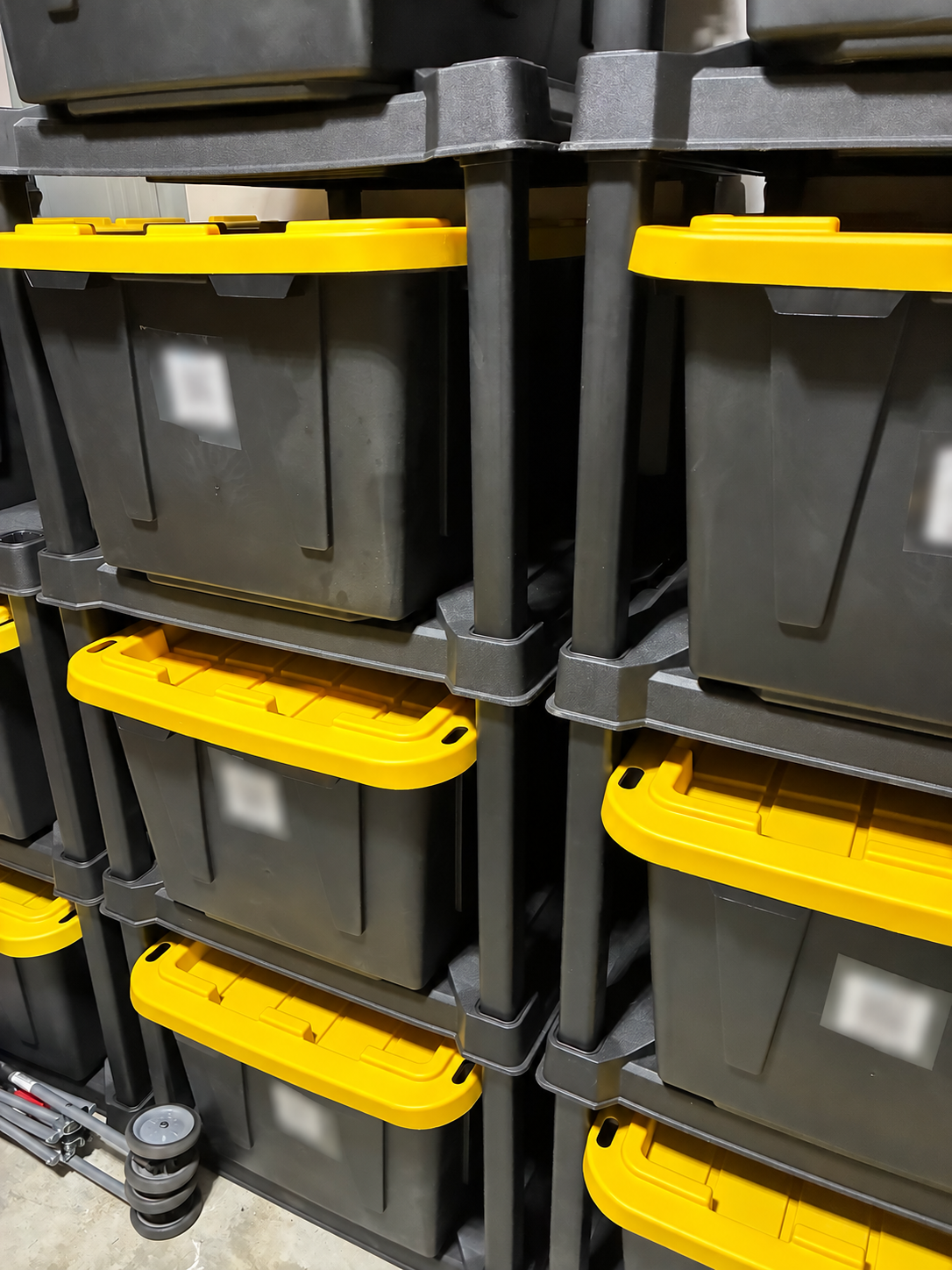
The labels let me connect each bin to its record. The real codes stay private; the blur is only for the photos I’m sharing here.
A simple way to try one bin
Choose a manageable bin. Start with one you can open, photograph, and put away in the time you have.
Give it a recognizable name. A bin ID and an honest description are enough. “Garage B01 — mixed seasonal items” can be a useful temporary name if that is what it contains.
Follow the label instructions. Assign the unique QR label to the matching container in SnapFind and apply it where you can scan it once the bin is stored.
Record what is actually there. Photograph the open bin and add descriptions or item photos as needed. Review any automatically suggested information.
Save the location and test the scan. Include the rack or shelf, then check that the label opens the right record before moving on.
When something moves, update the record. A useful inventory is one that reflects the bin today, even if today’s version is still a little mixed.
Questions you might have before starting
Will different brands of 27-gallon totes fit?
The different brands I own have worked easily in my Walmart racks. That is my experience with my bins, rather than a guarantee for every tote sold as 27 gallons. Try an existing bin and check the rack guidance before replacing containers you already have.
Do the Walmart racks need tools to assemble?
Assembling the hard-plastic racks I bought required no tools, and I found it super easy. Follow the instructions for your exact model; securing or anchoring the finished rack is a separate step and may need tools or hardware suited to your wall.
Do I need to organize the whole garage before using SnapFind?
No. You can begin by giving one bin an honest name, adding a contents photo or item records, saving its location, and testing its label. A mixed bin with a useful record is a workable starting point. Update the record when you move things.
What I’m counting as progress
For me, progress is giving the overflow a place and making it easier to know what we have. The garage can still be unfinished while the system starts helping.
There are still a few jobs the system needs from me: choosing what belongs in each bin, keeping the contents record current, and leaving room to reach the totes. A rack provides access and a label connects the record; neither does the sorting for me. That is why I’m starting with manageable sections.
I can document a bin before I have time to perfect its contents. I can keep the containers I own, compare prices on the next purchase, and adjust the record when things change. That is a version of organization I can keep building on.
If a whole garage feels like too much, give yourself one small area to work on. For the wider week, my weekly family reset routine can help you choose when one small organizing task will fit.
Start with one useful reset
You don’t need a finished garage to begin. Pick one bin, give it an honest record, and put it somewhere you can reach. Let that be enough for your first session.
Get the free 15-Minute Home Reset Checklist to choose a manageable starting point for your next pocket of clutter.